
The Project tool in Rio is used to capture key information about activities/improvement your organisation is looking to implement to reduce your resource use over time. The tool allows you to record the financial cost and times scales of implementing a Project and to track its benefits over time and at specific milestones.
To find more details please take a look at the support page How do I add, edit and delete projects?
Schemes are used to group related Projects together so that their combined performance can be monitored. Any new Project has to be associated to Scheme, as such they are a pre-requisite for creating a Project.
Only your Account Manager of Business Admin is able to create a new Scheme for your organisation
Creating a new Scheme
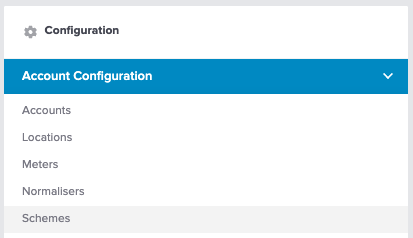
To create a new Scheme you will first need to navigate to:
Configuration/Account Configuration/Schemes
In the top right hand corner of the page there is an '+ Add Scheme' button:
This button will open the following modal where you can populate the following fields:
- Scheme Name - provide a name that encompasses the range of associated Projects you intend to monitor
- Description - provide an overview and an explanation of Scheme
- Category - Associate the relevant metric that your scheme will measured against
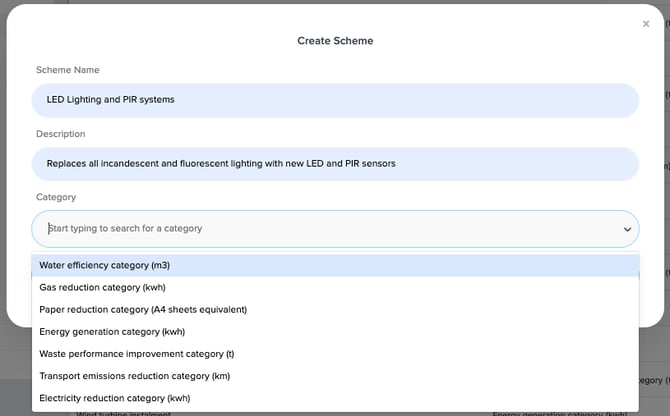
If you believe you need a new Category then please contact your Account Manager