
Heat and steam data can�t currently be uploaded onto Rio by a user; however it can be uploaded via your customer impact representative, so please contact them if you need their support.
This support page will explain how to view, navigate, and access your organisation's data once it is uploaded into Rio.
You can view your organisation�s raw or visualised heat and steam data in Rio by navigating to two places in the platform's navigation menu:
- Data
- Reporting
What is Data in the navigation menu?
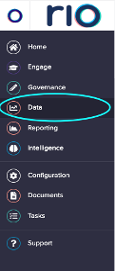
This area of Rio holds all data that has been uploaded to the platform and is organised by utility. To view data for a specific utility, select Data then the respective tile in the data table.
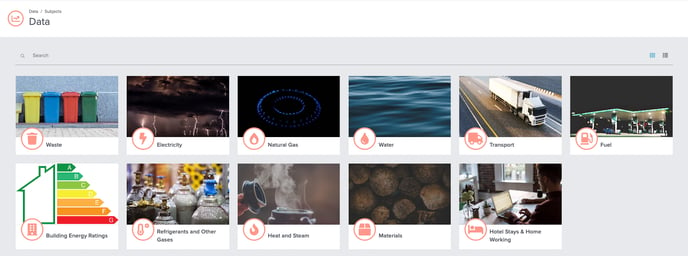
To navigate to all heat and steam data, for example, you can select the Heat and Steam data tile.
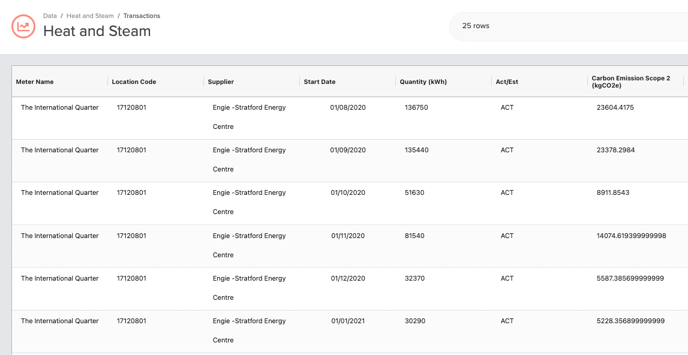
This brings you to your Heat and Steam transactions table.
What is a transactions table?
The Transactions Table holds all individual records for the selected utility type. These records are referred to as transactions in Rio.
Transactions are organised by location and meter name. Each transaction will have a service period of that heat and steam consumption (Start Date/Time and End Date/Time) and the data type is indicated in the Act/Est column (All measured transactions from invoices, meter readings, and exports will be loaded as �ACT�. Any estimated transactions will be loaded as �EST�).
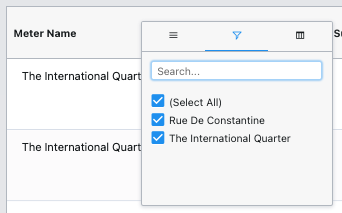
Each column header can be filtered to view all transactions for a desired location, meter, or selected time range. To filter any column, simply hover over the column heading until the filter menu appears, select the filter icon, and indicate your desired fields to filter.
Each transaction is linked to the supporting documentation that was originally uploaded into Rio and is accessible under the upload reference column.
For heat and steam data, you can't currently export any data from the transactions table into an excel or CSV file, so please contact your customer impact representative. You can, however, view the original upload file by selecting the hyperlink in the upload reference column associated with each transaction and Rio will download the excel version of the original upload.
How do I know which carbon conversion factors are being applied to my organisation�s Heat and Steam consumption?
Carbon Conversion factors are also linked to each transaction in the carbon conversions factor column, found in the transactions table, clearly indicating the years of the factors applied to the kWh of consumption.
The year in this column is linked to Rio�s Carbon Conversion Factors table in Configuration which documents the kgCO2e per kWh were used to calculate emissions. This level of granularity ensures your organisation�s data is auditable and transparent for any third-party verifications and disclosure standards.