
This support page will explain how to view, navigate, and manage your organisation�s water data once it is uploaded into Rio.
We understand your data may not always be available in the same format. Sourced from water invoices, water meter readings, or data exports provided by your facility partners, all this data can be hard to handle and consolidate into one place.
That's why your data can be uploaded to Rio in multiple ways, based on whichever format you receive it in. Any water consumption data provided has to be associated with a specific water meter that is in turn associated to a location within your Rio account. To learn more about meters please take a look the following page: How do I create a meter?
You can view your organisation�s raw or visualised water consumption data in Rio by navigating to two places in the platform's navigation menu:
Data and Reporting
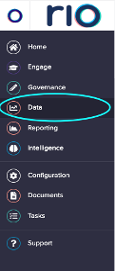
What is Data in the navigation menu?
This area of Rio holds all data that has been uploaded to the platform and is organised by utility. To view data for a specific utility, select Data then the respective tile in the data table.
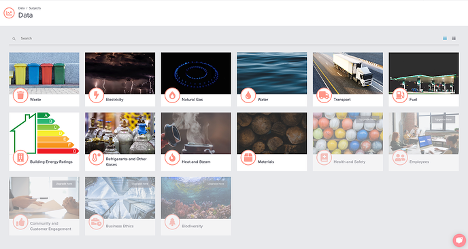
To navigate to all water data, for example, you can select the Water data tile. This brings you to your water transactions table.
What is a transactions table?
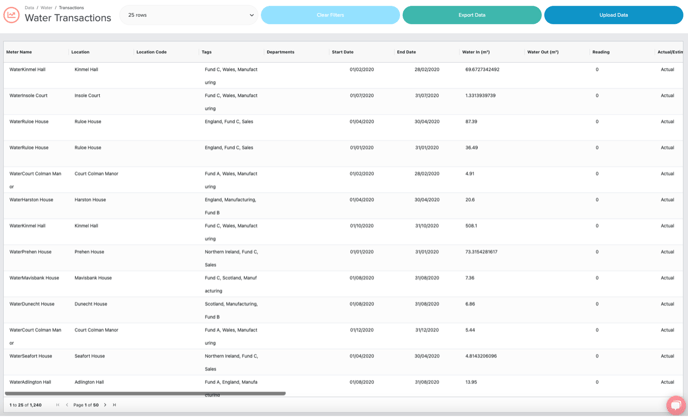
The Transactions Table holds all individual records for the selected utility type. These records are referred to as transactions in Rio. Transactions are organized meter name for water data. Each transaction will have a service period of that water consumption (Start Date and End Date) and the data type is indicated in the Act/Est column (All measured transactions from invoices, meter readings, and utility exports will be loaded as �ACT�. Any estimated transactions will be loaded as �EST�).
Each column header can be filtered to view all transactions for a desired meter, or selected time range. To filter any column, simply hover over the column heading until the filter menu appears, select the filter icon, and indicate your desired fields to filter.
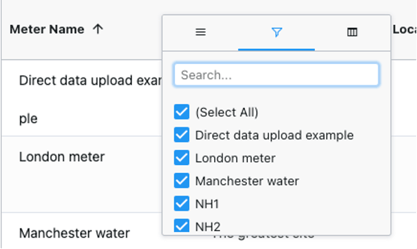
You can also export any data in the transactions table into an excel or CSV file. For support on how to export data from the transactions table, please see our page: "How do I export my data and information from Rio?"
Each transaction is linked to the supporting documentation that was originally uploaded into Rio and is accessible under the upload reference column.
You can view the original upload file by selecting the hyperlink in the upload reference column associated with each transaction and Rio will download the excel version of the original upload.
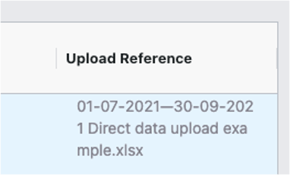
You can also navigate to a view of all files, their upload status, and uploader by selecting �upload data� at the top of the transactions table.
This will take you to a record of all uploads (including the upload file name, user responsible for uploading each file, timestamp, and any files that have been rolled back) as well as the option to upload data. For detailed upload instructions to help you get your data into Rio, you can find our data upload support under our page: "How do I Upload Data?"

What is Reporting in the Navigation Menu?
All data loaded to the transactions tables flows into your organisation�s selected energy and emissions reports.
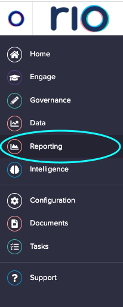
Rio offers dynamic water reporting, which your account manager can configure based on your organisation�s subscription and needs. These reports are accessible by selecting Reporting in the navigation bar.
The water report selected below visualises all consumption, cost, and emissions data from the water transactions table.
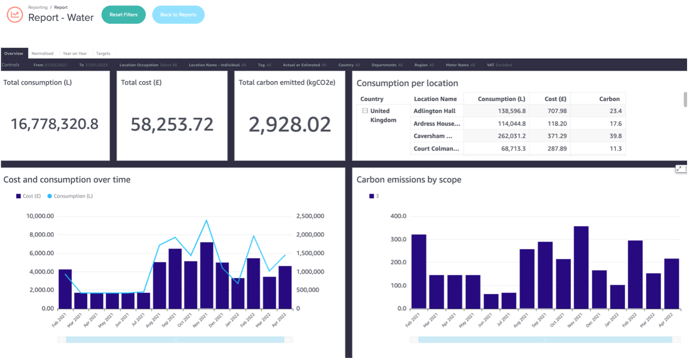
This report is live and will show your organisation�s total water consumption data in real time, based on the selected time period chosen in the reports filters.
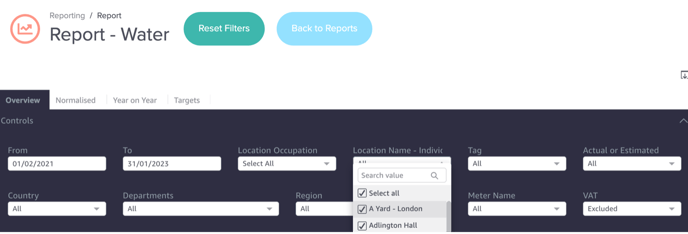
You can filter in the dashboards by selecting in the controls panel what type of data you would like to see. Rio offers the ability to view data for certain periods, countries, locations, meters, and data type (actual or estimated). You can also easily reset the filters by selecting reset filters at the top of the dashboard.
Can I sort and expand data tables in Rio�s Reports?
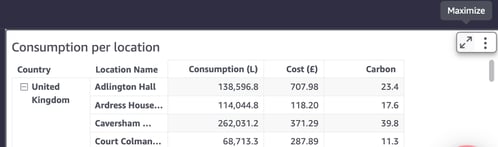
To sort or expand your data, hover over the top right corner of each table or graph until the icon appears to �maximise� the data set. To sort your data, you can also hover over the column header for any of the data columns in the tables.
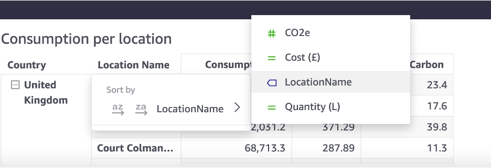
You can even filter out based on location, cost, emissions and quantity for instance.
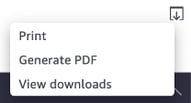
If you need to save a snapshot of your water report, this can be done by selecting the download icon in the top corner of the dashboard above the filters, which allows you to print or generate a PDF of the selected view.
How do I know which carbon conversion factors are being applied to my organisation�s water consumption?
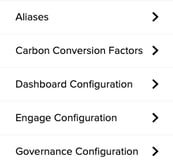
Carbon conversion factors are applied to the water consumption transaction and based on the UK Government conversion factors for company reporting of greenhouse gas emissions, which are factors used by UK and international organisations to report green-house emissions.
Rio uses conversion factor for Water Supply and Water Treatment and this is visible in the Configuration tab which documents the kgCO2e per m3 used to calculate emissions. This level of granularity ensures your organisation�s data is auditable and transparent for any third-party verifications and disclosure standards.
For the period of 01/06/2022 to 31/05/2023, which is the reporting year of 2023, a factor of 0.149 is applied from unit m3 to kgCO2e for Scope 3 emissions for Water Supply as highlighted by the UK Government and a factor of 0.272 for Scope 3 emissions for Water Treatment.
The Rio platforms offers full Scope 3 greenhouse gas emissions for water and allows for potable water use and water treatment capture into the platform.
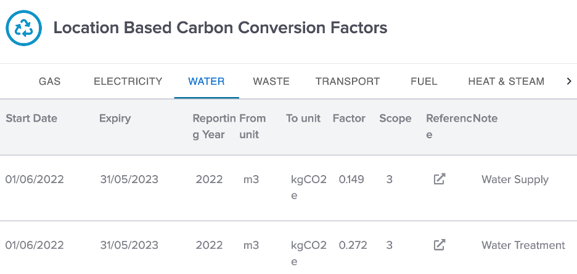
For water data, Rio asks for �Water In� and �Water Out� meters where �Water In� is utilised for inbound supplied water and the carbon conversion factor for �Water In� uses the Defra �Water Supply� carbon conversion factor. The �Water Out� meter is the meter which records the wastewater that is subsequently treated and uses the �Water Treatment� carbon conversion factors as provided by UK Government.
There are instances where there the organisation may have no �Water Out� meter and an assumption is made that any water supplied is ultimately disposed of and treated and in such an instant, Rio will automatically populate the �Water Out (m3)� with the same figure that is used for the �Water In (m3)�.